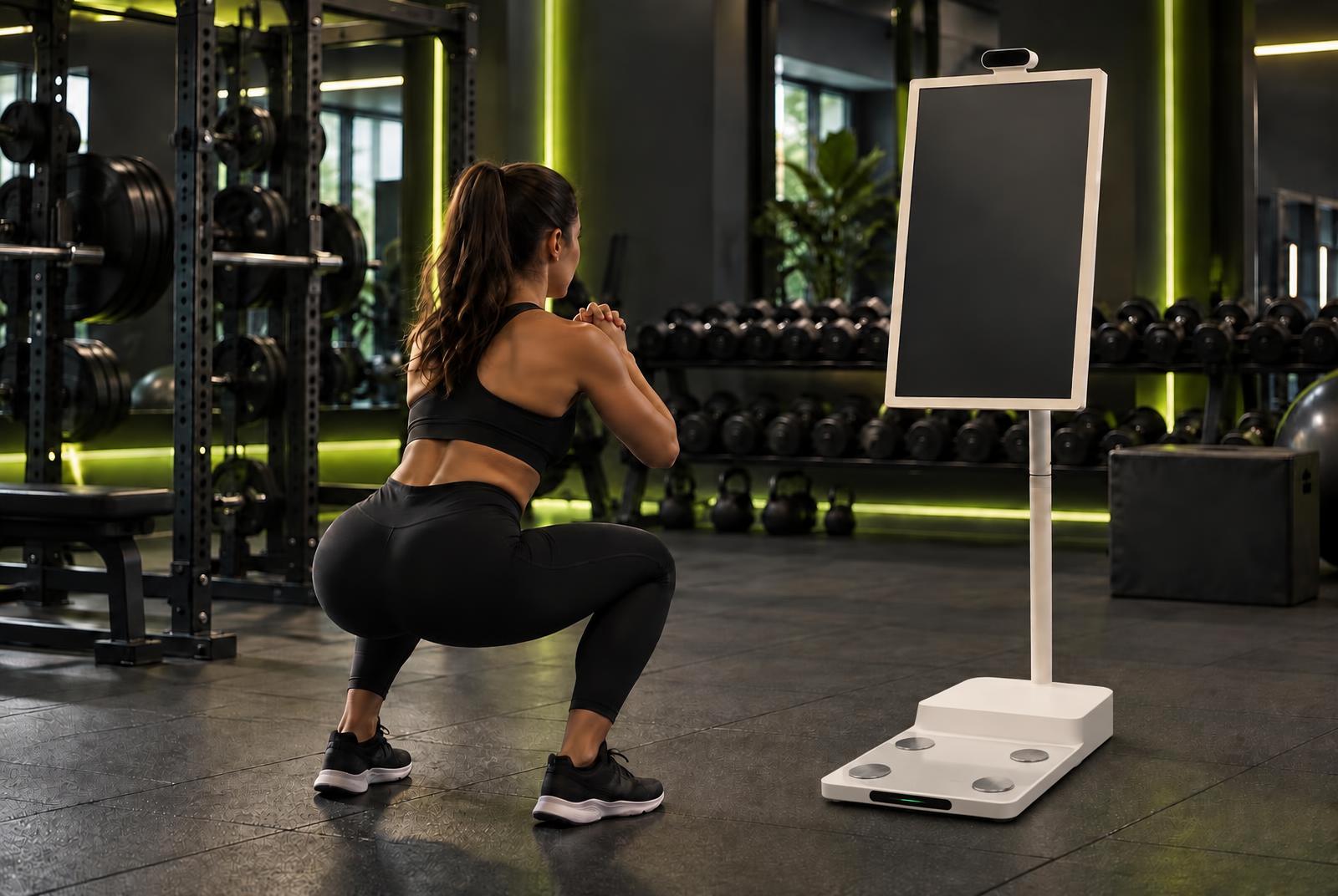
 Concept image
Workout station + reward locker for gyms
Train.
Check it off.
Unlock it.
Members finish their list at the station and unlock a reward locker. Branded as your gym, not ours.
Now booking pilot demos
For gym operators
Why gyms want it.
A reason to finish the workout
A visible checklist and a reward to collect give members a reason to complete today's session — and come back for the next one.
Your brand, not ours
Your gym's name, colours and logo on the station, the member app and the locker.
Rewards your way
Surprise boxes or rewards tailored to each member — your choice, per program.
GymWyze is a product concept in development, now booking pilot demos.
How it works
Four steps. One station.
- 01
Go to the station.
Members walk up to the GymWyze station, step on the built-in scale for a quick check-in snapshot and see today's workout list.
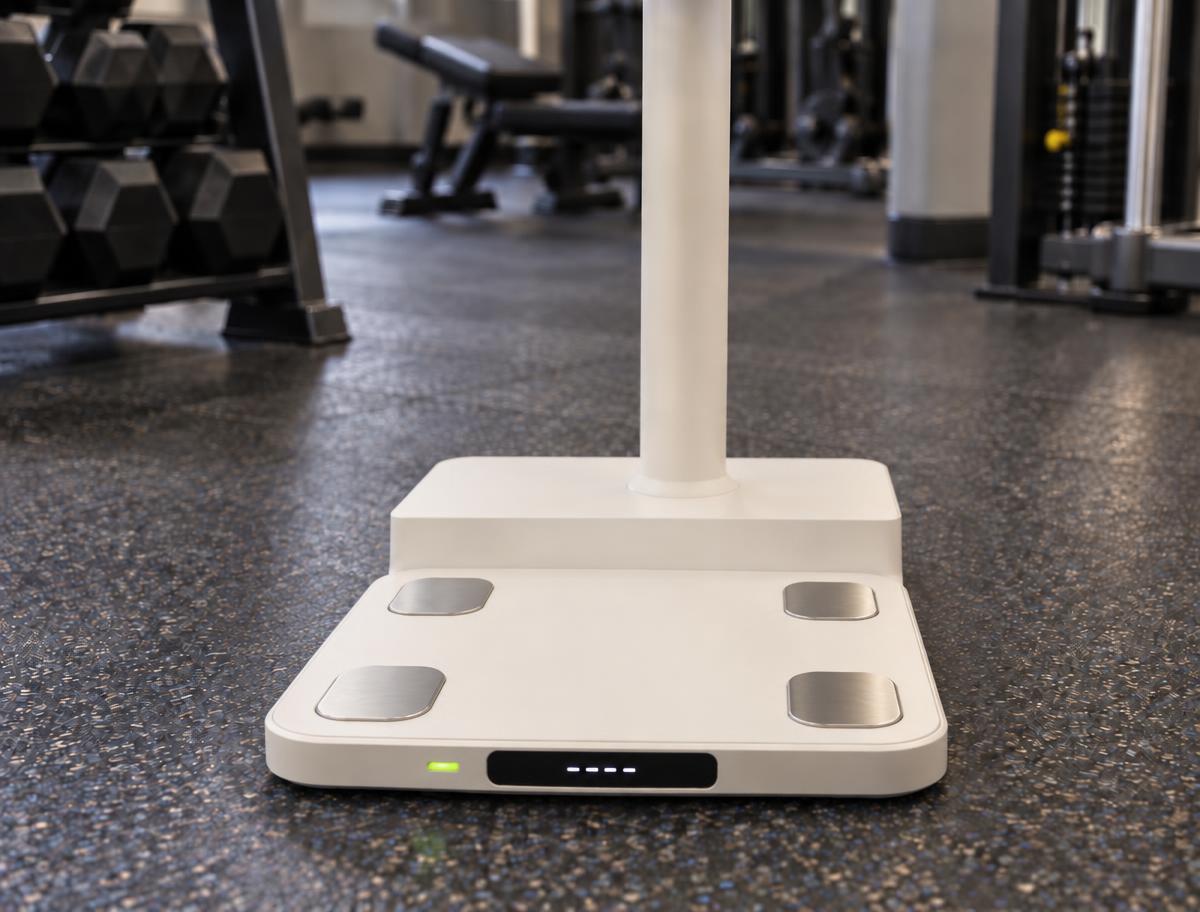
The base · built-in scale · concept image - 02
Work out with it.
The station guides each exercise on screen while the member trains in front of it. Rep counting is simulated in the demo.
- 03
Check it off.
Each finished workout is checked off the list and synced to the member's phone.
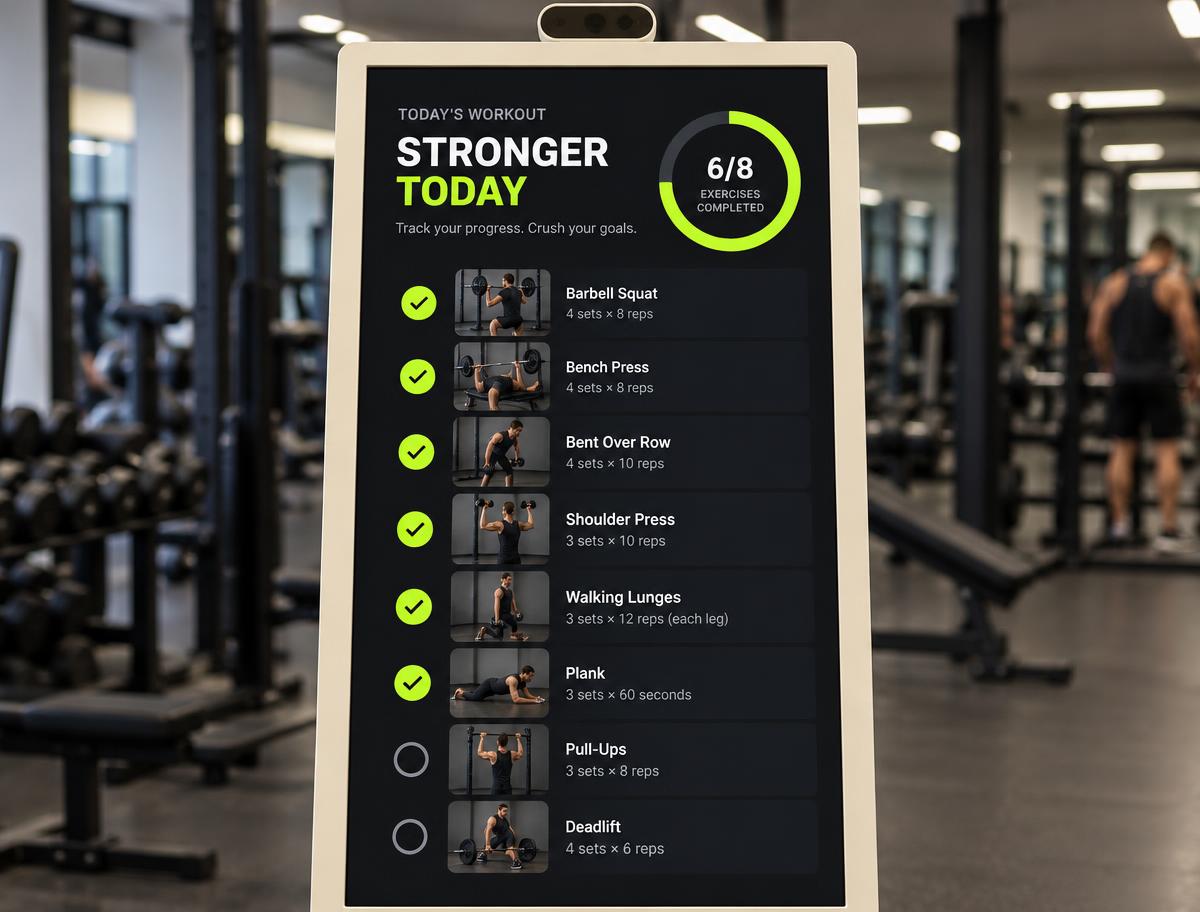
The screen · today's list · concept image - 04
Unlock the reward.
Finish the list and a QR code appears. Scan it at the gym's reward locker to collect the gift.

Who's behind it
Bryan
Stewart
Founder
Bryan has spent over a decade building automation and AI systems, and GymWyze is where that work meets the gym floor. He's hands-on with the hardware, the software and the member experience end to end.
Book a call
Set up your pilot demo.
- 1
Book a short call
Tell us a little about your gym.
- 2
See the station
We show you GymWyze set up for a gym like yours.
- 3
Plan a pilot together
We agree what a first deployment on your floor looks like.